
Introduction
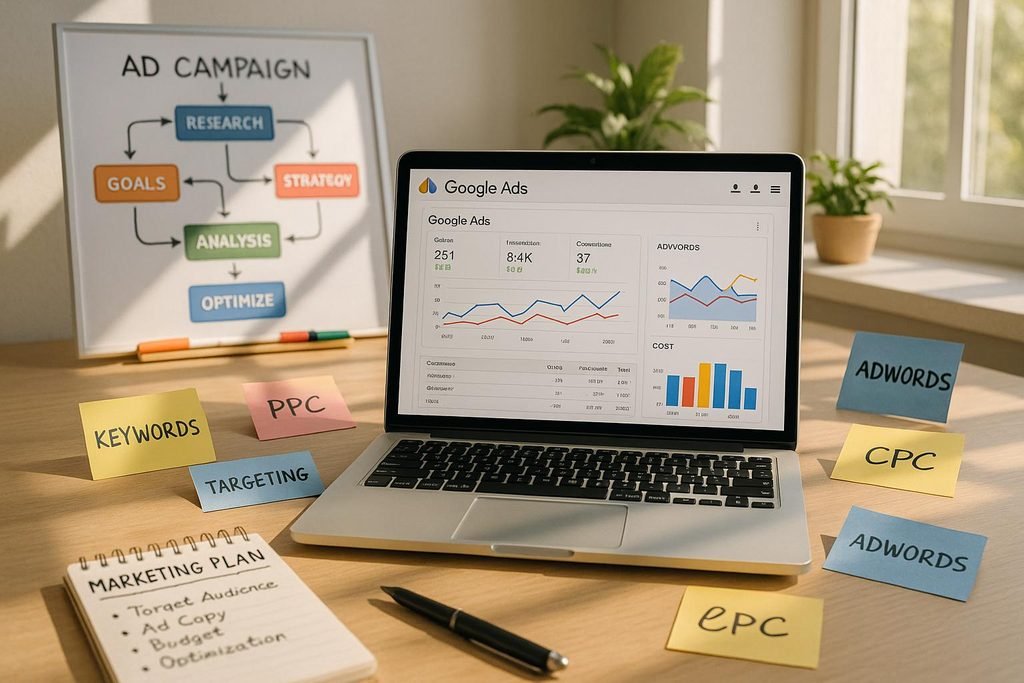
Google Ads Campaign Setup is an important step for businesses that want to reach the right audience online. In this beginner’s guide, you will learn how to create a Google Ads campaign, choose the right keywords, set a budget, and improve your advertising results. In today’s digital world, businesses need effective ways to reach potential customers online. One popular digital advertising platform that helps businesses connect with people searching for products and services is Google Ads.
Whether you own a small business, run an online store, or work as a digital marketer, learning how to set up a Google Ads campaign can help you understand paid advertising and attract relevant audiences.
However, running ads without a clear strategy can waste your advertising budget. It is important to understand your goals, target audience, keywords, budget, and campaign settings before launching an advertisement.
In this beginner-friendly guide, you will learn how to set up a Google Ads campaign step by step, along with practical tips to improve your advertising performance.
What Is Google Ads?
Google Ads is an online advertising platform that allows businesses to promote their products and services across Google’s advertising network.
Depending on the campaign type, ads may appear on Google Search, YouTube, relevant websites, apps, Google Maps, and other placements.
For example, if someone searches for “digital marketing services near me,” a business running a relevant Search campaign may have an opportunity to show an advertisement.
Businesses can use Google Ads to increase website traffic, generate leads, promote products, encourage purchases, and build awareness.
Why Is Google Ads Important for Businesses?
Google Ads offers several benefits when campaigns are planned and managed effectively.
1. Reach Relevant Audiences
Businesses can use keywords, locations, audience signals, and other targeting options to reach people who may be interested in their offerings.
2. Connect With People Searching for Your Services
Search advertising can help businesses reach users who are actively looking for particular products or services.
3. Control Your Advertising Budget
You can set campaign budgets and adjust your spending based on business goals. However, actual costs and results depend on competition, targeting, bidding, and other factors.
4. Measure Campaign Performance
Google Ads provides performance data such as impressions, clicks, conversions, and cost metrics. Conversion tracking helps businesses understand whether their ads are generating meaningful results.
5. Test and Improve Advertising
You can test different messages, keywords, landing pages, and campaign settings to identify opportunities for improvement.
Types of Google Ads Campaigns
Before setting up a campaign, choose the campaign type that best matches your business objective.
1. Search Campaigns
Search campaigns can show text ads on Google Search results when people search for relevant terms.
Best for: Businesses that want to generate enquiries, phone calls, or website visits from people searching for specific products and services.
2. Display Campaigns
Display campaigns can show visual ads across eligible websites and apps in Google’s Display Network.
Best for: Building awareness and reaching relevant audiences beyond search results.
3. Video Campaigns
Video campaigns can display advertisements on YouTube and other eligible video placements.
Best for: Video-based promotion, brand awareness, and selected marketing objectives.
4. Shopping Campaigns
Shopping ads can showcase product images, prices, store details, and other product information for eligible retail businesses.
Best for: Online stores that want to promote their product catalogue.
5. Performance Max Campaigns
Performance Max uses Google’s automated campaign technology to help advertisers reach customers across eligible Google advertising channels from a single campaign.
Best for: Advertisers who want to optimize toward specified goals across Google’s channels and have the required assets and conversion setup.
Campaign availability and features can vary by account, country, and advertising objective.
How to Set Up a Google Ads Campaign Step by Step
Follow these steps to create your first campaign.
Step 1: Create or Sign In to Your Google Ads Account
Visit the official Google Ads website:
Sign in using your Google account or follow the instructions to create an account.
Complete the requested business information and billing setup. Review the available options carefully before publishing any campaign.
Beginner tip: Explore the account interface and campaign settings before spending money on advertising.
Step 2: Define Your Advertising Goal
Before creating a campaign, decide what you want to achieve.
Common campaign goals include:
- Generating leads
- Increasing website traffic
- Driving online sales
- Encouraging phone calls
- Promoting a local business
- Increasing brand awareness
For example, a digital marketing agency may want to generate enquiries from businesses looking for SEO or social media marketing services.
Your goal will influence your campaign type, bidding strategy, landing page, and measurement plan.
Step 3: Choose the Right Campaign Type
Select the campaign type that matches your objective.
For example:
- Choose a Search campaign to reach people searching for your services.
- Consider a Shopping campaign for eligible product-based businesses.
- Consider a Video campaign when video advertising supports your goal.
- Explore Performance Max when you want to use Google’s automated advertising across multiple eligible channels.
For many beginners advertising a clearly defined service, a focused Search campaign can be a practical starting point because it lets you work with relevant search terms and text ads.
Step 4: Set Your Target Location and Language
Choose where you want your ads to appear.
Depending on your business, you might target a city, region, country, or other available geographic area.
For example, a business serving customers in Malappuram may want to focus its campaign on relevant areas within its service region.
Review the location targeting options carefully. Depending on the settings, targeting may consider people who are in, regularly in, or interested in your selected locations.
Select the languages that make sense for your audience and advertising content.
Important: Target only locations that are relevant to your business and that you can serve effectively.
Step 5: Set Your Daily Budget and Bidding Strategy
Your budget determines how much you are willing to spend on advertising over time.
Choose a budget that fits your business finances and allows you to test the campaign without taking unnecessary risks.
Google Ads offers different bidding strategies depending on your campaign and objectives.
Examples include:
- Maximize Clicks: Focuses on generating clicks within your budget.
- Maximize Conversions: Uses automated bidding to seek more conversions.
- Target CPA: Aims to generate conversions at an average cost per acquisition target.
- Target ROAS: Aims to achieve a specified average return on ad spend when suitable conversion value data is available.
Not every strategy is available for every campaign. Choose one that matches your objective and measurement setup.
Beginner tip: Do not choose a bidding strategy only because it sounds popular. First understand what result you want and whether your conversion tracking is configured correctly.
Step 6: Conduct Keyword Research
Keywords help you connect your ads with relevant searches.
Think about the words potential customers might use when looking for your products or services.
For a digital marketing business, possible keyword ideas include:
- Digital marketing services
- SEO services for small businesses
- Social media marketing agency
- Google Ads management services
Use Google’s Keyword Planner to explore keyword ideas, search estimates, and potential advertising costs.
Official resource: https://ads.google.com/home/tools/keyword-planner/
Understand Keyword Match Types
Google Ads provides keyword match types that influence which searches may trigger your ads.
- Broad match: Can reach a wider range of related searches.
- Phrase match: Can reach searches that include the meaning of your keyword phrase.
- Exact match: Offers more focused matching to searches with the same meaning or intent.
Match behaviour can change over time, so consult the current Google Ads documentation when selecting your settings.
Also add negative keywords when appropriate to help prevent ads from showing for irrelevant searches.
For example, if you only offer paid professional services, certain searches related to free templates or free courses may be irrelevant. Review actual search terms before deciding which negatives to add.
Step 7: Write Compelling Ad Copy
Your ad copy should clearly explain what you offer and why a potential customer should consider your business.
A useful Search ad typically includes relevant headlines, descriptions, and a clear call to action.
Example Search ad for a digital marketing service
Headline ideas:
- Digital Marketing Services
- Grow Your Business Online
- SEO and Social Media Support
Description example:
“Looking to improve your online presence? Explore digital marketing services tailored to your business goals. Contact us to discuss your needs.”
This is an illustrative example, not a live advertisement.
When writing your ad copy:
- Include relevant keywords naturally.
- Explain a clear customer benefit.
- Use accurate claims.
- Make your call to action easy to understand.
- Follow Google’s advertising policies.
- Avoid misleading promises or guaranteed results.
Step 8: Create a Relevant Landing Page
A landing page is the webpage people reach after clicking your ad.
Your landing page should closely match the message and offer in your advertisement.
For example, if your ad promotes SEO services, send visitors to a relevant SEO services page instead of a general homepage that does not explain the service clearly.
A useful landing page should include:
- A clear headline
- A description of the service or product
- Relevant benefits and details
- Trust signals where appropriate
- A clear call to action
- Easy-to-find contact information
- A mobile-friendly design
- Fast and reliable page loading
A relevant landing page can improve the visitor experience and make it easier for users to complete the action you want them to take.
Step 9: Set Up Conversion Tracking
Conversion tracking helps you measure valuable actions taken after people interact with your ads.
Depending on your business goals, conversions may include:
- Completed purchases
- Submitted enquiry forms
- Qualified lead submissions
- Calls that meet your chosen criteria
- Other meaningful website actions
Google Ads conversion tracking and Google Analytics integrations can help measure these actions when configured correctly.
Before launching your campaign, check that important conversion events are recorded accurately. Avoid counting every page view as a lead or sale unless it genuinely represents your business goal.
For further guidance, visit the official Google Ads Help Center:
Step 10: Review and Launch Your Campaign
Before publishing your campaign, review all the important settings.
Use this checklist:
- Campaign objective is correct.
- Campaign type matches the objective.
- Location and language settings are relevant.
- Budget and bidding strategy are appropriate.
- Keywords and negative keywords have been reviewed.
- Ad headlines and descriptions are accurate.
- Landing page works properly on mobile and desktop.
- Conversion tracking has been tested.
- Billing details and campaign settings are complete.
- Ads comply with Google Ads policies.
Once you have checked everything, publish your campaign and monitor its status.
Your ads may require review before they can begin serving.
Important Google Ads Metrics to Track
After launching a campaign, review the metrics that relate to your business goals.
| Metric | Meaning |
|---|---|
| Impressions | How often your ads were shown |
| Clicks | How often people clicked your ads |
| CTR | The percentage of impressions that resulted in clicks |
| CPC | Average cost per click |
| Conversions | The valuable actions recorded by your tracking setup |
| Conversion Rate | The percentage of measured interactions that resulted in a conversion, according to the reporting setup |
| CPA | Average cost per acquisition or conversion |
| ROAS | Conversion value attributed to ads relative to advertising spend |
For example, a campaign may receive many clicks but few qualified enquiries. In that case, review the search terms, targeting, ad message, landing page, and conversion tracking rather than focusing only on clicks.
The most useful metrics depend on whether your goal is sales, leads, awareness, or website traffic.
Common Google Ads Mistakes Beginners Should Avoid
1. Starting Without a Clear Goal
Without a defined objective, it is difficult to choose the right campaign settings or measure success.
2. Targeting Too Broad an Audience
Overly broad targeting can attract visitors who are unlikely to become customers. Start with relevant targeting and refine it using performance data.
3. Ignoring Search Terms
Review the actual search terms associated with your ads where the reporting is available. Add relevant negative keywords when appropriate.
4. Sending Visitors to an Irrelevant Page
Your landing page should match the offer and message in your ad.
5. Forgetting Conversion Tracking
Without accurate conversion data, you may struggle to understand whether your campaign generates valuable business outcomes.
6. Making Changes Too Frequently
Campaigns need sufficient time and data for meaningful evaluation. Avoid making frequent changes based on very limited results.
7. Expecting Immediate Results
Google Ads can generate traffic soon after a campaign becomes eligible to serve, but profitable performance is not guaranteed. Testing, monitoring, and optimization are important.
Tips to Improve Your Google Ads Campaign
Once your campaign is running, use these practices to improve its performance:
- Review search terms and remove irrelevant traffic where possible.
- Test different ad headlines and messages.
- Improve the relevance and usability of your landing page.
- Monitor cost per conversion and lead quality.
- Check whether your targeting matches your service area.
- Use accurate conversion tracking.
- Adjust budgets based on business goals and reliable performance data.
- Review campaign settings and policy notifications regularly.
Make changes based on evidence rather than assumptions. A campaign that produces fewer but better-qualified leads may be more valuable than one that generates many low-quality clicks.
Conclusion
Google Ads is a useful digital advertising platform for businesses that want to reach potential customers online. However, successful advertising requires more than simply creating an ad and setting a budget.
By defining a clear goal, choosing the right campaign type, researching keywords, writing relevant ad copy, creating a useful landing page, and tracking conversions, beginners can build a stronger foundation for paid advertising.
Start with a manageable budget, learn how your campaign performs, and improve it using reliable data.
Remember: The goal is not just to get clicks. It is to attract the right audience and encourage actions that support your business objectives.
Let’s Connect!
I’m Shamna N., an aspiring digital marketer interested in helping businesses strengthen their online presence through digital marketing and SEO.
Follow my journey and connect with me to explore more digital marketing tips and strategies.
- Email: shamnaajmal626@gmail.com
- LinkedIn: www.linkedin.com/in/shamnashamna
- Instagram: Lumixa Digital